
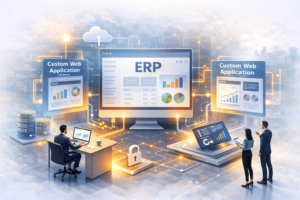
An ERP system lives at the core of your business. Finance, operations, HR, and supply chains all revolve around ERP. This is where your most important information is kept.
However, many ERPs have difficulty adapting to business demands.
A Traditional ERP upgrade will require a significant investment in time and capital, and is inherently risky. A modification to the coreERP system has an impact on a number of functions. As such, development takes a long time and stifles innovation.
Your teams require the ability to respond faster to changes in workflows, customers, and the market. They require agility with no disruption.
The solution to achieving this is to add functionality around your ERP (ERP extensions) by developing custom web applications.
In essence, you create additional functionality by building new systems that interact with the existing ERP. This is part of the concept of enterprise app modernisation; retaining the stability of your ERP while creating agility at the fringes.
The Problem with Monolithic ERP Systems
Most ERP systems follow a monolithic structure. Everything connects within a single system. This creates control, but it also creates limits.
Key challenges include:
- Rigid architecture slows innovation
- Custom changes affect the entire system
- Upgrades become complex and expensive
- Vendor dependency increases over time
- Technical debt builds with each customization
User experience also suffers. Many ERP interfaces feel outdated. They require training. They reduce efficiency.
Consider a procurement team. They need a simple dashboard to track approvals. Instead, they navigate complex menus. This slows decision-making.
When systems resist change, teams find workarounds. They use spreadsheets or external tools. This creates data silos and risks errors.
What Are ERP Extensions Via Custom Web Applications?
ERP extensions are applications built outside the core ERP system. They connect through APIs or middleware. They extend functionality without changing the core.
Custom web development plays a key role here. Developers build web applications that:
- Sit on top of ERP systems
- Pull and push data through secure APIs
- Deliver specific features for defined user groups
These applications solve focused problems.
Examples include:
- Vendor portals for order tracking and communication
- Customer dashboards for real-time insights
- Workflow tools for approvals and task management
These extensions act as a layer between users and the ERP. They simplify interactions while maintaining data integrity.
Extend Without Disrupting the Core
Your ERP handles critical operations. Stability matters. Any disruption affects business continuity.
ERP extensions allow you to innovate without touching the core system.
Key benefits:
- No risk to mission-critical processes
- Easier ERP upgrades
- Reduced dependency on ERP vendors
You build new features outside the ERP. You test them independently. You deploy them without affecting existing workflows.
Example:
A manufacturing company required a real-time production dashboard. Rather than changes to the ERP, the web app is created. The web app obtains data from the ERP and presents it to users in a clear layout.
No changes were made to the ERP. The feature goes live much quicker.
This approach works well in:
- Legacy ERP environments
- Large enterprises with complex workflows
- Businesses with frequent process changes
Improved UX = Higher Adoption
User experience drives adoption. If your teams struggle to use a system, they avoid it.
Traditional ERP interfaces often create friction. They include:
- Complex navigation
- Limited mobile access
- Generic workflows
Custom web applications solve these issues.
They offer:
- Role-based dashboards
- Clean and intuitive interfaces
- Mobile-friendly access
- Faster onboarding
Impact on your business:
- Increased productivity
- Better data accuracy
- Lower training costs
Example:
An HR team uses a custom employee portal. Employees apply for leave, check payslips, and update details through a simple interface. The ERP processes the data in the background.
This improves engagement. It reduces manual work.
Faster Deployment Cycles and Agile Innovation
ERP customization takes time. Each change requires testing across multiple modules. This slows deployment.
With custom web development, you move faster.
Comparison:
| Aspect | ERP Customization | Web App Extension |
| Development Time | Long cycles | Short cycles |
| Testing Scope | Entire system | Isolated modules |
| Deployment Risk | High | Low |
| Flexibility | Limited | High |
Benefits of web app extensions:
- Rapid prototyping
- Iterative releases
- Continuous improvements
You gather feedback from users. You update features quickly. You align development with business needs.
This approach supports agile methods and DevOps practices. Your IT teams deliver value in smaller, faster increments.
Supporting Evolving Business Needs
Your business changes. Markets shift. Regulations evolve. Customer expectations rise.
Your systems must keep up.
ERP extensions support this need for change.
They enable:
- Quick feature rollouts
- Easy integration with new tools
- Scalability as your business grows
Example:
A retail business adds an online sales channel. Instead of modifying the ERP, they build a web-based order management system. It integrates with the ERP and handles online orders.
This reduces time to market. It supports growth.
ERP extensions also help with compliance. You build specific modules for reporting or audits without affecting core operations.
Key Use Cases Across Industries
ERP extensions apply across sectors. They solve real business problems.
Manufacturing:
- Production tracking dashboards
- Machine performance monitoring
- Quality control workflows
Retail:
- Omni-channel order management portals
- Inventory visibility tools
- Customer engagement platforms
Finance:
- Custom reporting and analytics tools
- Risk management dashboards
- Approval workflows
HR:
- Employee self-service portals
- Recruitment tracking systems
- Performance management tools
These use cases show a pattern. You build focused solutions that improve efficiency and user experience.
Best Practices for Implementing ERP Extensions
A structured approach ensures success.
Follow these best practices:
- API-first integration strategy
- Use secure APIs for data exchange
- Ensure real-time or near-real-time data flow
- Strong data governance and security
- Protect sensitive data
- Define access controls
- Monitor data usage
- Scalable architecture design
- Build applications that handle growth
- Plan for future integrations
- User-centric development approach
- Involve stakeholders early
- Focus on usability
- Test with real users
- Continuous monitoring and optimization
- Track performance
- Gather feedback
- Improve features regularly
These steps reduce risk. They improve outcomes.
Modernize Smart, Not Hard
ERP modernization does not require a complete overhaul. You do not need to replace your entire system.
Custom web applications as ERP extensions provide a smarter approach.
You gain:
- Flexibility to adapt
- Speed in development and deployment
- Cost efficiency
You extend your ERP instead of rebuilding it. You improve user experience. You respond faster to business needs.
This approach aligns with modern IT strategies. It supports long-term growth.
Build Smarter ERP Systems with CyberMeru
ERP systems should fit your business, not the other way around. Many standard ERP platforms force process changes. This leads to low adoption and operational friction.
CyberMeru takes a different approach. They design custom ERP systems based on how your business already works.
You get:
- ERP that matches your workflow and decision process
- Single development cost, no repeated licensing
- Flexible for feature changes, as business needs grow
- Integration capability with your current systems
CyberMeru also builds high-quality custom web applications that extend ERP functionality. These apps improve usability, support access across devices, and scale with your needs.
Our development process involves your stakeholders from the start. This ensures the system matches real operational requirements and drives adoption.
Why CyberMeru:
- Modern technology stack
- Cost-effective solutions for growing businesses
- Strong focus on timelines and delivery
- Secure systems with data protection in place
If your ERP feels rigid or slow to adapt, it is time to rethink your approach.
Work with CyberMeru to build a system that evolves with your business, without disrupting what already works.
Contact CyberMeru to get started!
FAQs
What exactly are ERP extensions?
They are custom web apps that connect to your ERP and add features without touching the core system.
Why avoid direct ERP customization?
It slows upgrades and adds risk, while extensions keep your system stable and easier to manage.
Will this improve how my team uses ERP?
Yes, simpler interfaces and mobile access make daily tasks faster and easier.

